
How to Make Your Website SEO-Friendly: A Practical Guide

Having a website is not enough to attract visitors. If people cannot find your website on search engines like Google, it becomes difficult to generate traffic, leads, or customers. This is where Search Engine Optimization (SEO) becomes important.
SEO is the process of improving your website so that search engines can understand your content and show your pages to people searching for relevant information, products, or services.
Making a website SEO-friendly does not mean simply adding keywords to every page. A good SEO strategy combines useful content, proper website structure, fast loading speed, mobile usability, technical optimization, and a good experience for visitors.
In this practical guide, you will learn how to make your website more SEO-friendly and improve its chances of appearing in search results.
What Does an SEO-Friendly Website Mean?
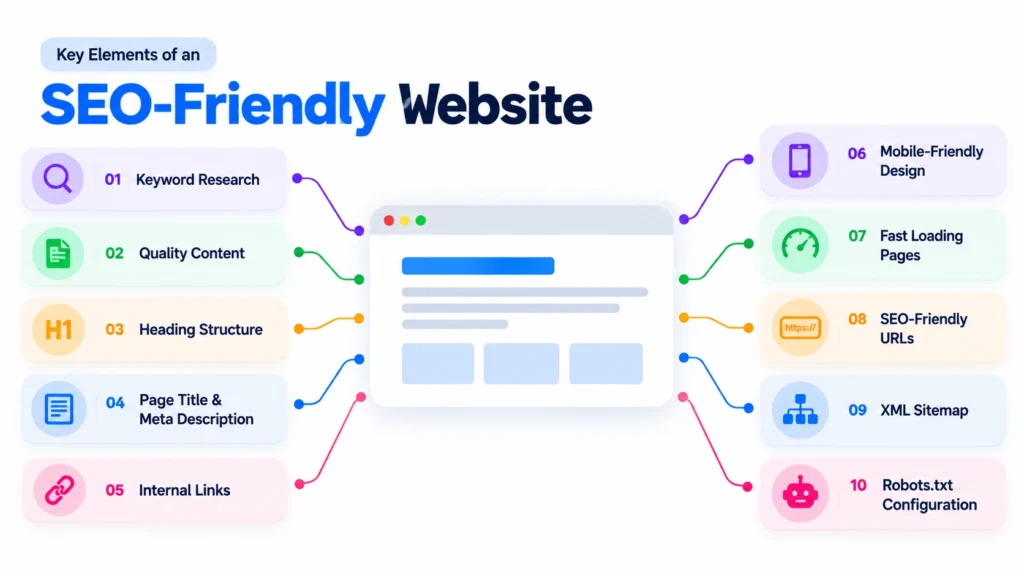
An SEO-friendly website is a website that is easy for both search engines and users to understand and navigate.
Search engines need to crawl and understand your pages before they can consider them for search results. At the same time, visitors should be able to quickly find the information they are looking for.
An SEO-friendly website usually has:
- Clear and useful content
- Relevant keywords
- Proper heading structure
- Descriptive page titles
- Useful meta descriptions
- SEO-friendly URLs
- Fast loading pages
- Mobile-friendly design
- Easy navigation
- Internal links
- Proper technical SEO
- An XML sitemap
- A correctly configured robots.txt file
Let’s look at each of these areas.
1. Start With Keyword Research
Keyword research is one of the first steps in SEO.
Keywords are the words or phrases people type into search engines when looking for information. For example, someone who wants to improve their website might search for “how to make a website SEO-friendly.”
Before creating a page or blog post, identify the terms your target audience is actually searching for.
You can use keyword research tools to discover:
- Search terms related to your topic
- Search volume
- Keyword competition
- Related keywords
- Long-tail keywords
- Search intent
Don’t focus only on keywords with high search volume. Sometimes a specific long-tail keyword can bring more relevant visitors.
For example:
Broad keyword:
SEO
Specific keyword:
how to make a website SEO-friendly.
The second keyword has a clearer search intent and may be more useful for a targeted article.
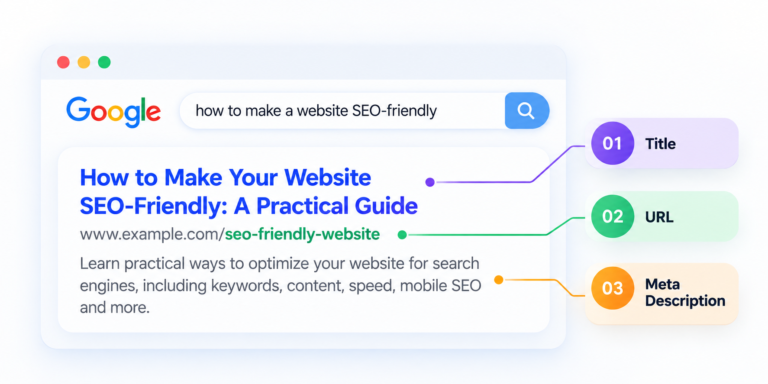
2. Optimize Your Page Title
The page title tells both users and search engines what your page is about.
Your main keyword should appear naturally in the title when appropriate.
For example:
Weak title:
Website Tips
Better title:
How to Make Your Website SEO-Friendly: A Practical Guide
A good title should be:
- Clear
- Relevant
- Descriptive
- Interesting
- Naturally optimized for the target keyword
Avoid creating titles only for search engines. Your title should also encourage people to click when they see it in search results.
3. Write a Useful Meta Description
A meta description is a short description that can appear below your page title in search results.
Although meta descriptions are not a direct ranking factor, a clear and relevant description can help users understand what your page offers and potentially improve clicks.
For this article, an example could be:
“Learn how to make your website SEO-friendly with practical tips for keywords, content, page titles, website speed, mobile optimization, technical SEO, and more.”
Your meta description should accurately describe the page rather than making unrealistic promises.
4. Create Helpful, High-Quality Content
Content is one of the most important parts of SEO.
Instead of writing content simply to include keywords, focus on answering the questions and problems of your target audience.
Before writing an article, ask:
- What does the reader want to know?
- What problem are they trying to solve?
- What information can I provide?
- Can I explain the topic more clearly than existing content?
For example, if your target audience is beginners, avoid filling your article with unnecessary technical terminology. Explain concepts clearly and provide practical examples.
Good SEO content should be:
- Original
- Useful
- Easy to understand
- Well structured
- Relevant to the search intent
- Updated when necessary
The goal should be to create content that people actually want to read and use.
5. Use Proper Heading Structure
Headings help organize your content and make it easier to read.
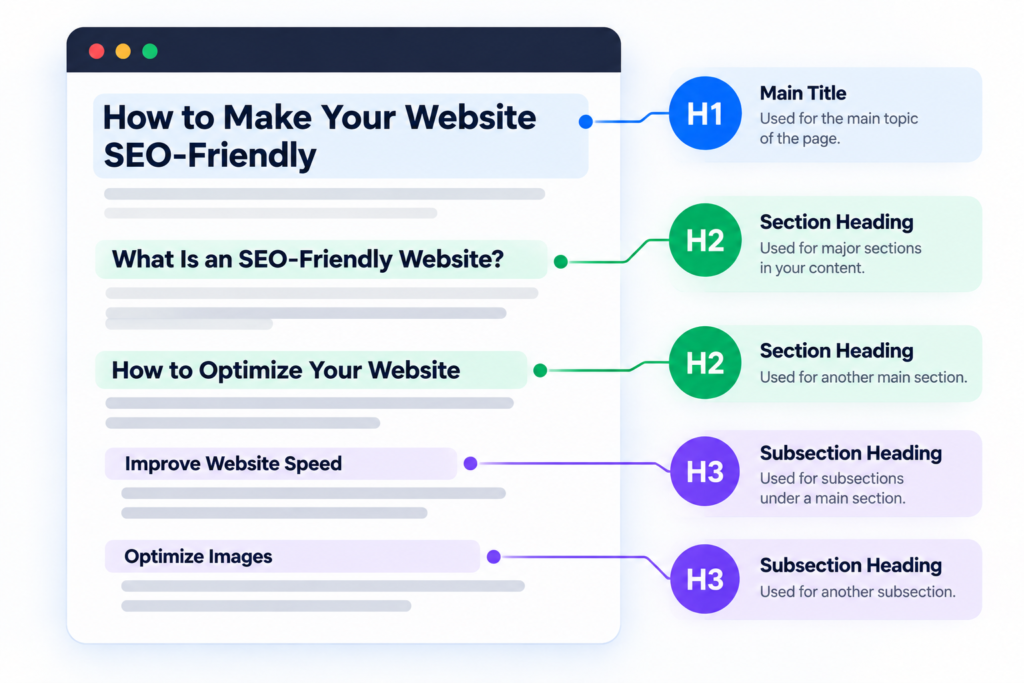
Your main page title should normally use an H1 heading. Major sections should use H2 headings, while subsections can use H3 headings.
For example:
H1: How to Make Your Website SEO-Friendly
H2: What Is an SEO-Friendly Website?
H2: How to Optimize Your Website
H3: Improve Website Speed
H3: Optimize Images
Avoid using headings only because they look visually attractive. Use them to create a logical content structure.
A well-organized article is easier for both readers and search engines to understand.
6. Optimize Your Images
Images can make your content more engaging, but large or poorly optimized images can slow down your website.
Before uploading images, consider:
- Compressing large images
- Using appropriate image formats
- Giving images descriptive file names
- Adding meaningful alt text
- Using images that are relevant to the content
For example, instead of naming an image:
IMG12345.jpg
use something descriptive such as:
keyword-research-seo.jpg
Alt text should describe the image accurately. Don’t use alt text simply as a place to insert keywords.
For example:
Good:
“SEO keyword research tool showing related search terms”
Poor:
“SEO SEO-friendly website SEO keywords best SEO”
The first example is useful to users and accessibility tools, while the second is keyword stuffing.

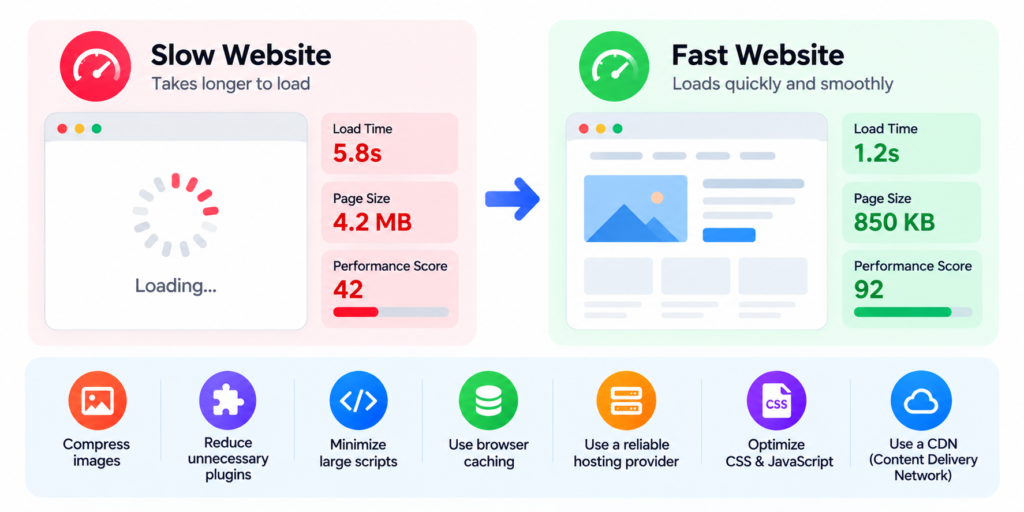
7. Improve Website Loading Speed
Nobody likes waiting for a slow website.
Website performance can affect user experience and is also an important part of modern SEO.
To improve website speed, you can:
- Compress images
- Reduce unnecessary plugins
- Minimize large scripts
- Use browser caching
- Use a reliable hosting provider
- Optimize CSS and JavaScript
- Consider using a Content Delivery Network (CDN)
You can test your website performance using tools such as Google PageSpeed Insights.
Don’t obsess over getting a perfect score at the expense of your actual users. Focus on creating a website that loads quickly and works smoothly.
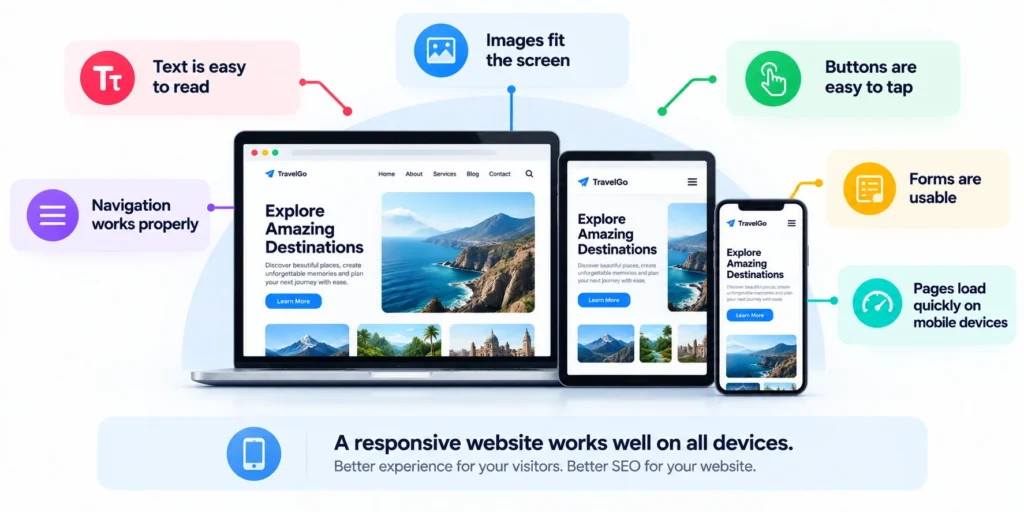
8. Make Your Website Mobile-Friendly
A large percentage of internet users access websites through smartphones.
Your website should therefore work properly on different screen sizes.
Check whether:
- Text is easy to read
- Buttons are easy to tap
- Images fit the screen
- Navigation works properly
- Forms are usable
- Pages load quickly on mobile devices
A responsive website automatically adjusts its layout to different screen sizes.
Mobile usability is not an optional feature anymore. It should be part of your website design from the beginning.
9. Create SEO-Friendly URLs
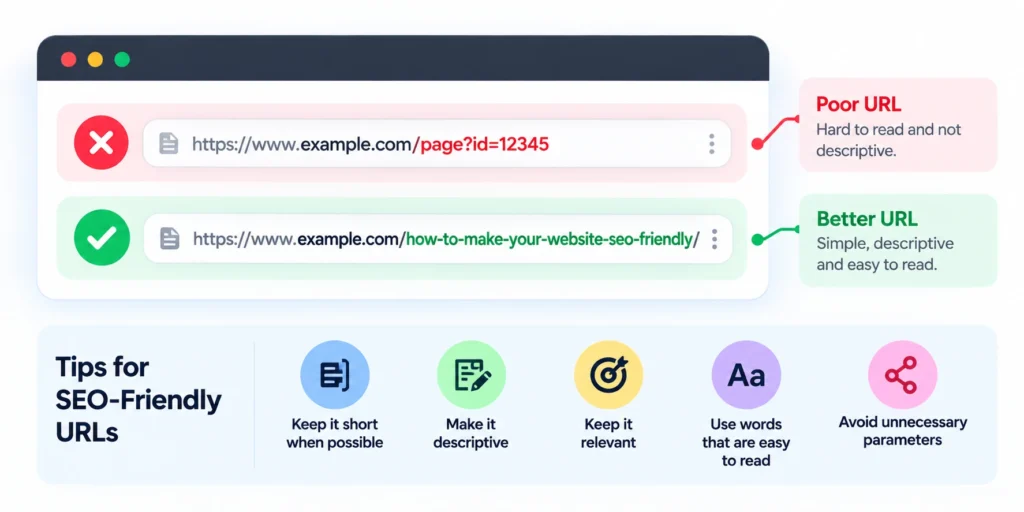
Your URLs should be simple and descriptive.
For example:
Poor URL:
example.com/page?id=12345
Better URL:
example.com/how-to-make-your-website-seo-friendly/
A good URL gives users and search engines an idea of what the page is about.
Keep URLs:
- Short when possible
- Descriptive
- Relevant
- Easy to read
- Free from unnecessary parameters
Avoid changing URLs unnecessarily because established URLs may already have links and search visibility.
10. Use Internal Links
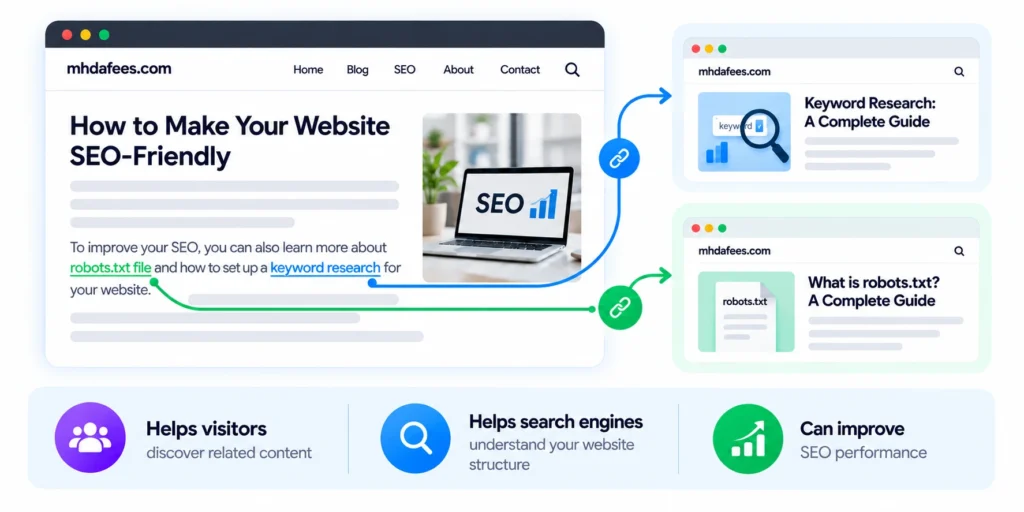
Internal links connect one page of your website to another page on the same website.
They help visitors discover related content and can also help search engines understand the relationship between different pages.
For example, if you are writing about website SEO, you could link to another article about keyword research, robots.txt, or Google Search Console.
Use descriptive anchor text.
Instead of:
Click here
use:
learn more about keyword research
This gives users more context about what they will find after clicking.
11. Create an XML Sitemap
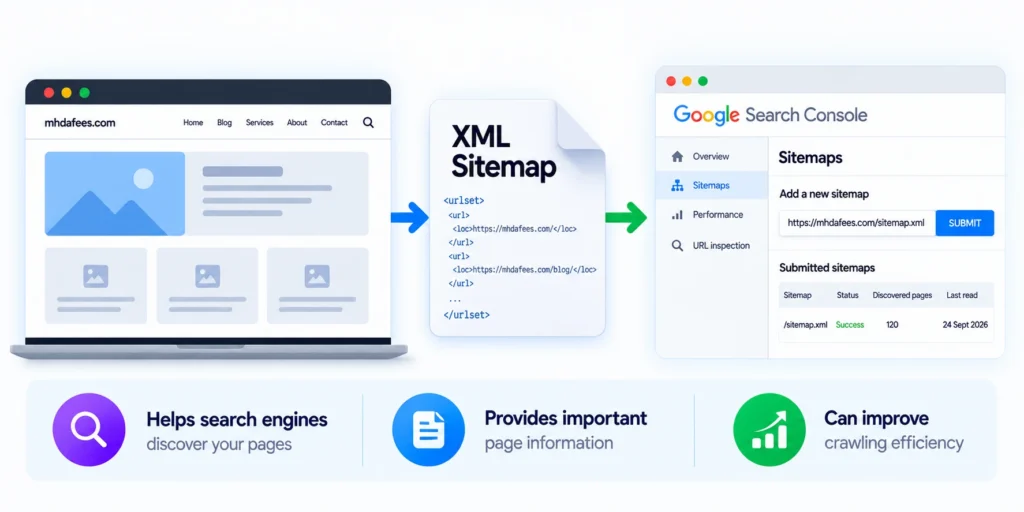
An XML sitemap provides search engines with information about the important pages on your website.
It can help search engines discover and crawl your website’s pages more efficiently.
If you use WordPress, many SEO plugins can automatically generate and update your sitemap.
After creating your sitemap, you can submit it through Google Search Console.
Remember that a sitemap does not guarantee that every page will be indexed. It simply helps search engines discover your important URLs.
12. Check Your Robots.txt File
The robots.txt file provides instructions to search engine crawlers about which parts of your website they may or may not crawl.
It is usually located at:
yourwebsite.com/robots.txt
A poorly configured robots.txt file can accidentally prevent search engines from crawling important pages.
Therefore, don’t copy random robots.txt configurations from another website. Understand what each directive does before making changes.
For most websites, your robots.txt file should be simple and carefully configured.
13. Fix Broken Links and Technical SEO Problems
Technical problems can make it harder for search engines and users to navigate your website.
Regularly check for:
- Broken links
- Missing pages
- Redirect problems
- Duplicate content
- Indexing issues
- Missing title tags
- Missing or incorrect canonical tags
- Slow pages
- Mobile usability problems
Tools such as Google Search Console can help you identify several technical and indexing issues.
Fixing these problems won’t automatically put your website at the top of Google, but it can create a healthier technical foundation for SEO.
14. Set Up Google Search Console
Google Search Console is one of the most useful free tools for website owners.
It provides information about how your website performs in Google Search.
You can use it to:
- Check indexing
- Submit sitemaps
- Monitor search queries
- View clicks and impressions
- Check average position
- Identify indexing problems
- Inspect individual URLs
- Monitor website performance
For example, you may discover that one of your pages receives many impressions but very few clicks. That could be an opportunity to improve the page title and meta description.
SEO should be based on data whenever possible rather than assumptions.
15. Build Quality Backlinks
A backlink is a link from another website to your website.
Quality backlinks can help establish authority and credibility, especially when they come from relevant and trustworthy websites.
However, don’t focus on getting hundreds of low-quality links.
Instead, focus on earning relevant links through:
- Useful original content
- Industry resources
- Guest contributions
- Digital PR
- Research and statistics
- Business directories where appropriate
- Partnerships and relevant websites
Avoid buying large numbers of spammy backlinks simply to manipulate rankings. Poor-quality link-building can create more problems than benefits.
Common SEO Mistakes to Avoid
Many website owners make SEO more complicated than it needs to be.
Here are some common mistakes to avoid:
Keyword Stuffing
Repeating the same keyword unnaturally can make your content difficult to read.
Creating Content Only for Search Engines
If your article doesn’t help the reader, ranking for a keyword won’t provide much value.
Ignoring Mobile Users
A website that looks good on a desktop but is difficult to use on mobile can lose visitors.
Using Slow, Heavy Images
Large image files can significantly increase page loading time.
Buying Spammy Backlinks
Large quantities of irrelevant or manipulative links are not a sustainable SEO strategy.
Ignoring Technical SEO
Good content cannot compensate for serious crawling, indexing, or website usability problems.
SEO-Friendly Website Checklist
Before publishing a new page, use this quick checklist:
ü
Is the page targeting a clear search intent?
ü
Did you conduct keyword research?
ü
Is the main keyword used naturally?
ü
Is the page title clear and relevant?
ü
Is the meta description useful?
ü
Does the content answer the user’s question?
ü
Are headings structured correctly?
ü
Are images optimized?
ü
Is the website mobile-friendly?
ü
Is the URL simple and descriptive?
ü
Are internal links included?
ü
Are there any broken links?
ü
Can search engines crawl the page?
ü
Is the important content indexable?
ü
Is the XML sitemap updated?
ü Is the website connected to Google Search Console?
Conclusion
Making your website SEO-friendly is not a one-time task. SEO is an ongoing process that involves improving your content, technical performance, user experience, and overall website structure.
Start with the fundamentals: understand what your audience is searching for, create genuinely useful content, optimize your page titles and headings, improve website speed, make your site mobile-friendly, use internal links, and monitor your performance through tools such as Google Search Console.
Don’t try to manipulate search engines with keyword stuffing or low-quality backlinks. Instead, build a website that is genuinely useful to your audience.
The better your website serves visitors, the stronger foundation you have for long-term SEO growth.
SEO is not about simply getting more visitors. It’s about getting the right visitors and giving them a reason to stay, engage, and take action.